Review the terms you accepted
Settings → Personal → Accepted consents keeps what you accepted and when:
The history of the terms you have accepted. You can review the exact version that was accepted.
The word doing the work in that sentence is exact. It does not show you today’s terms — it shows you the text that was in front of you on the day you pressed accept.
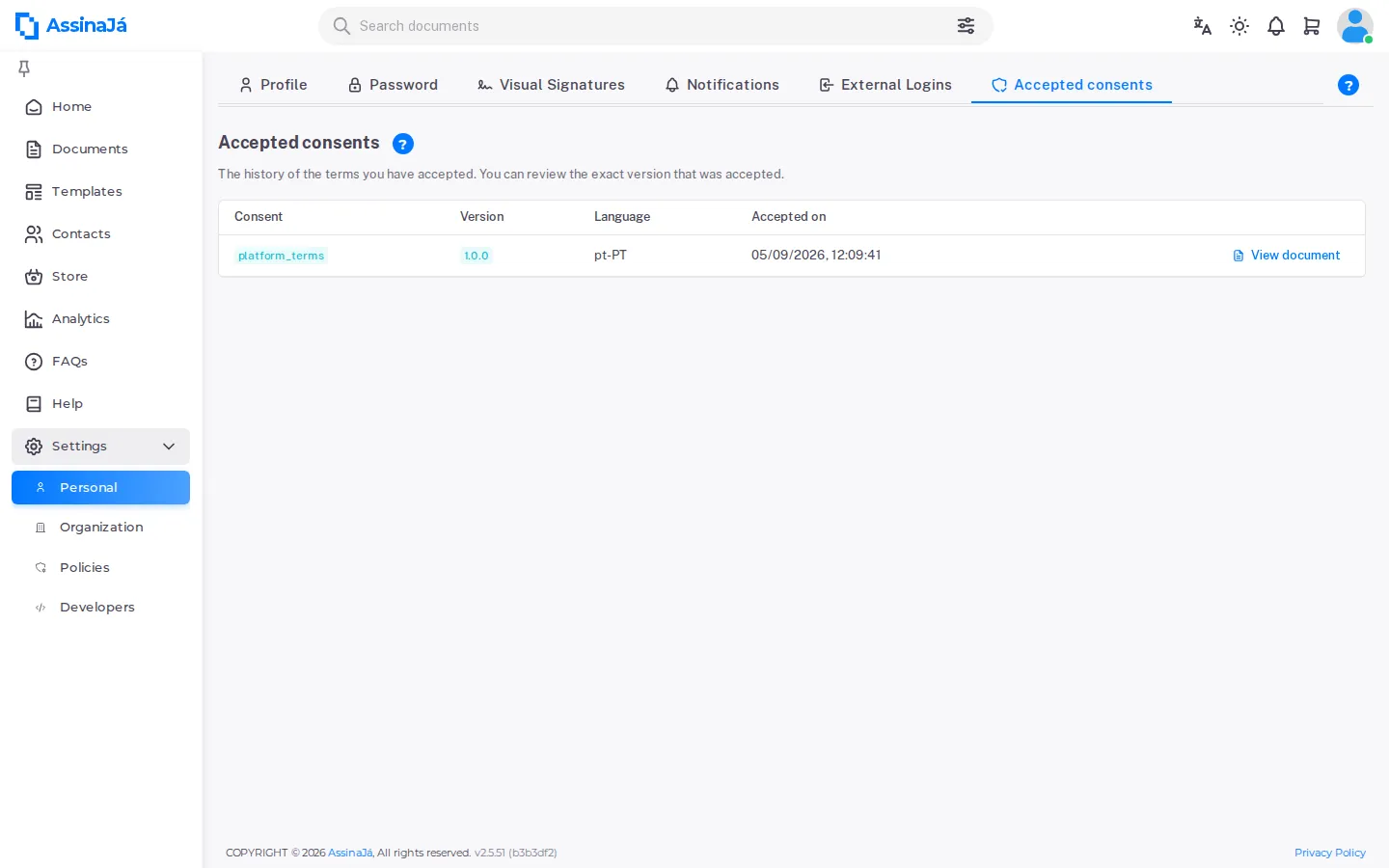
The table
Section titled “The table”| Column | |
|---|---|
| Consent | Which terms |
| Version | The version you accepted |
| Language | The language you read it in |
| Accepted on | The date |
With nothing accepted yet: “You have not accepted any terms yet. Once you do, the history appears here.”
View document opens the text of that acceptance, with the note that heads off the likeliest misunderstanding:
This is the exact text you accepted on {date}. The text currently in force may differ.
When a newer version exists
Section titled “When a newer version exists”The row gains a chip — Update available ({version}) — with the explanation:
A newer version exists, which you will have to accept the next time you use the feature.
There is nothing to do about it now. Acceptance is asked for when you next use the feature those terms cover, and not before.
The integrity proof
Section titled “The integrity proof”This is what separates a history from a record worth something.
Each acceptance stores the SHA-256 hash of the accepted text. Verify integrity recomputes the hash of the stored text and compares it with the one recorded at the moment of acceptance.
| Verdict | What it means |
|---|---|
| Intact | The text is byte for byte what you accepted |
| Hash mismatch — the text was changed | The stored text is no longer what was accepted |
| No hash recorded (old entry) | The acceptance predates this mechanism |
| Translation missing | The version in that language is not there to compare |
One acceptance in detail
Section titled “One acceptance in detail”Acceptance #{n} in detail shows what was recorded:
| Field | |
|---|---|
| Date (UTC) and Date (local) | The same instant, in both zones |
| User | Who accepted |
| Slug / Version / Language | Which text, exactly |
| IP / User-Agent / Request ID | From where, and on which request |
| Session (JWT jti) / Acceptance method | Which session, and by what route |
| Hash of the accepted text (SHA-256) | The text’s fingerprint |
Two dates for one instant is not redundancy: UTC is what you compare between records, and local time is what the person recognises.
Where consents turn up
Section titled “Where consents turn up”You do not go looking for them — they arrive. Before the first use of a feature that requires them, the application stops with Your acceptance is required, and the I have read and accept. Continue button only becomes active once the text has been read to the end:
Scroll to the end to enable the “Accept” button.
I do not accept. Cancel goes back without using the feature.
The one you will meet first is AI — see AI on the platform.