Audit trail
A signature is only as good as the evidence that it happened. Every document carries a history of what occurred, when, and to whom — recorded by the platform rather than entered by anyone.
What gets recorded
Section titled “What gets recorded”The history shows these fourteen kinds of event:
| Event | Recorded as |
|---|---|
| Document was created | {name} ({email}) criou o documento. |
| Added new recipient | Each signer or cc recipient added, with how they were asked to sign |
| Document is processing | The document is being sealed before sending |
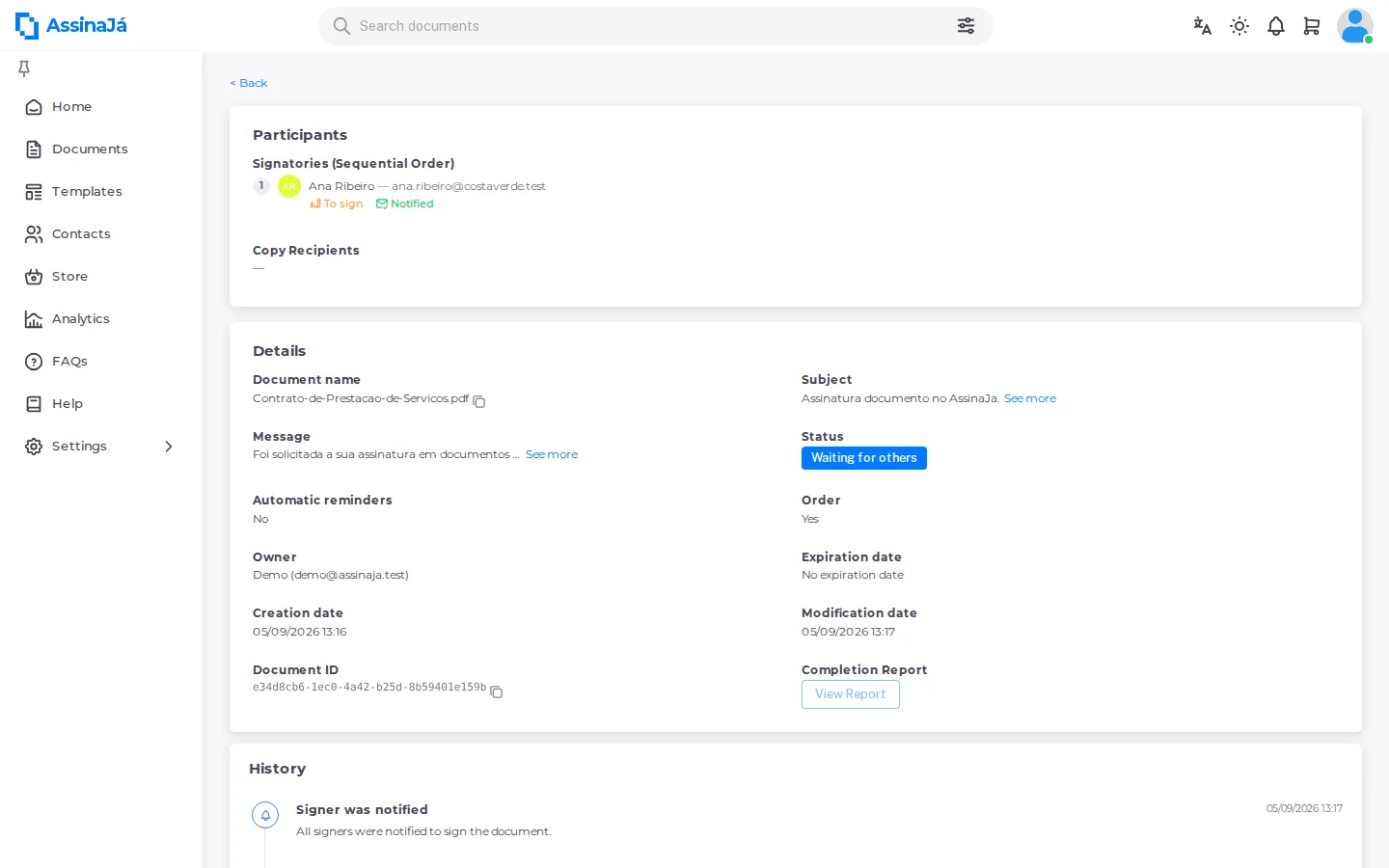
| Signer was notified | An invitation to sign was sent |
| Document signed | A signer completed their signature |
| Document completed | All steps are completed and the document has been successfully signed. |
| Document was rejected | {name} ({email}) rejeitou assinar o documento. |
| Owner was notified | The sender was told about a refusal |
| Signer was notified | Other signers were told about a refusal |
| Document was cancelled | {name} ({email}) cancelou o documento. |
| Signer was notified | Signers were told about the cancellation |
| Document has expired | O documento {name} expirou em {date} |
| A signer’s turn came up | {name} ({email}) was activated by the signing order and can now sign. |
| Signer promoted with their own round | {name} ({email}) now signs in a round of their own. |
Notice how much of the trail is about notification, not just signing. The record shows not only that someone signed, but that they were properly asked — which is the part that matters if a signature is ever disputed.
When someone declines, the reason they gave is kept alongside the event under Motive.
How the history is chained
Section titled “How the history is chained”Every event is recorded with a hash — a SHA-256 fingerprint — computed over the hash of the same document’s previous event, the document, the recipient, the event type, the status, the event data and the instant it was recorded. A document’s first event has no predecessor; every later one is tied to the one before it.
That is what makes the history verifiable:
- Altering a line changes the hash it should have, and it no longer matches what was stored.
- Deleting or inserting a line breaks the next line’s link to the previous hash.
Verification rebuilds the chain from the first event to the last and stops at the first line that does not match. It runs when the Completion Report is generated, and the result goes into the sealed report: the verdict, the number of verified entries and the hash of the last event (Chain root hash (SHA-256)).
The chain uses no secret key: someone able to write to the database who recomputed every later line would get a consistent chain. It is the last event’s hash, fixed in the sealed report, that would stop matching.
An older document may have events recorded without a hash. Verification skips them; if none of the document’s events has a hash, the report says the chain is not verifiable rather than inventing a verdict.
Where to find it
Section titled “Where to find it”Open a document and go to its audit view. Alongside the event history you get the recipient list, and the option to copy it or export the history.
Exporting
Section titled “Exporting”The history can be downloaded as an Excel file, so it can be attached to a case file or kept outside the platform.
Related
Section titled “Related”- Signature levels — what each level proves
- Document lifecycle — the states behind these events
- What is in the completion report — where the chain verdict is kept